
How to Withdraw Money From 2J Bet?
Withdrawing your balance from 2J Bet (ToJay Bet) is simple and works directly with Easypaisa and JazzCash. As long as your wallet number is added and verified, you can transfer your winnings in just a few steps.
Steps to Withdraw
1. Open the 2J Bet App: Log in to your account.
2. Go to Account Page: Tap the Account / Profile option from the bottom menu.
3. Select Withdraw: Press the Withdraw button.
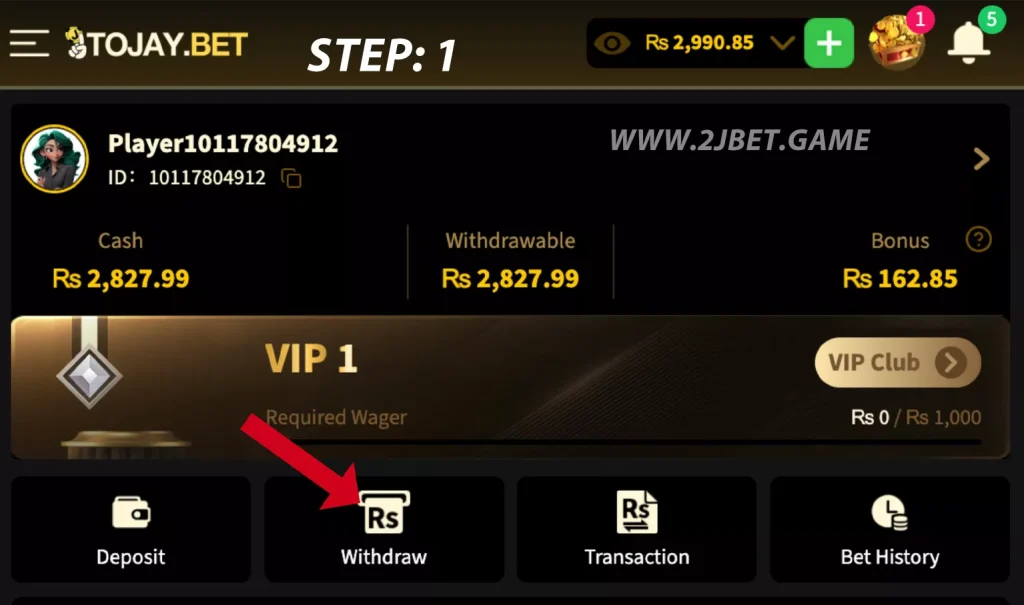
4. Add Wallet (First Time Only): If you haven’t linked a wallet yet:
- Tap Account List → Add Account
- Choose Easypaisa or JazzCash
- Enter Name, CNIC & Wallet Number
- Save the account
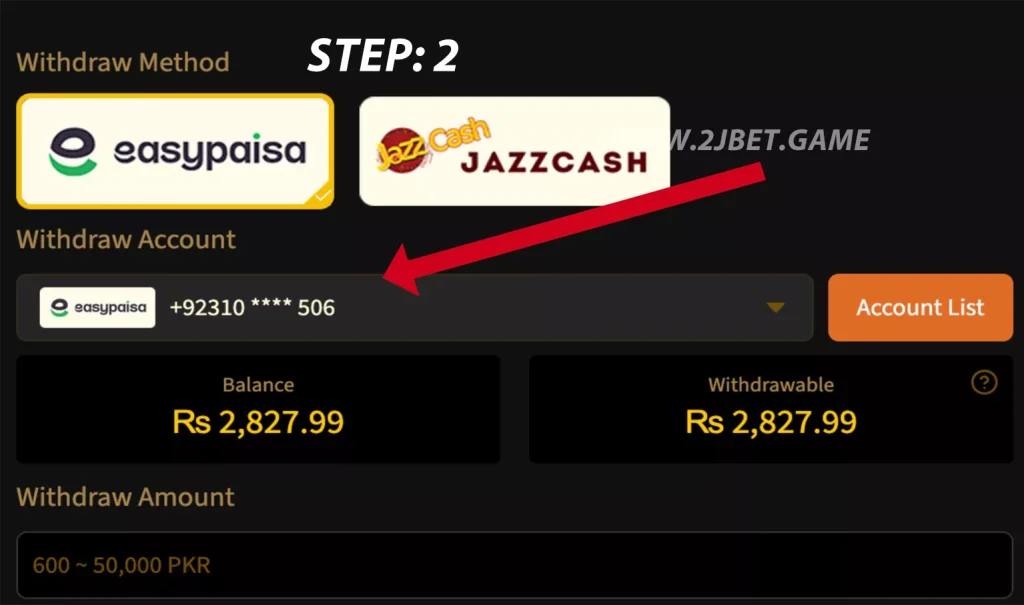
5. Enter Amount: Type the amount you want to withdraw.
6. Submit Request: Tap Withdraw and wait for confirmation.
That’s it, your request is sent.
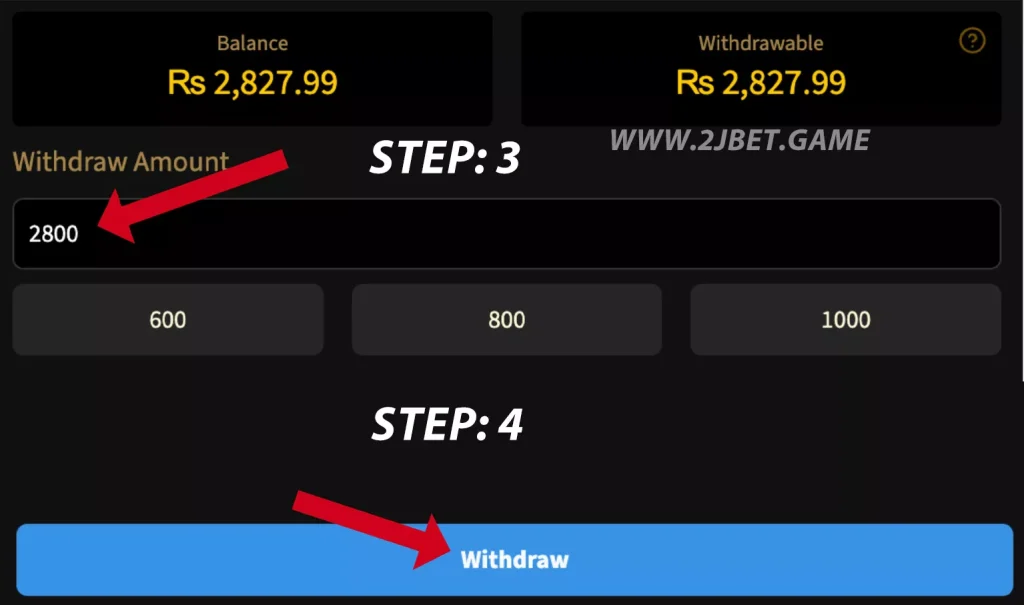
Processing Time: Withdrawal usually completes shortly. If it takes longer, you can check the status in Transaction History.
Useful Tips
- Use your own verified wallet
- Make sure CNIC & number are correct
- If funds don’t show on time, contact in-app support
Withdrawal request done. Once approved, money will move to your wallet. If you need help, open Live Support in the app anytime.